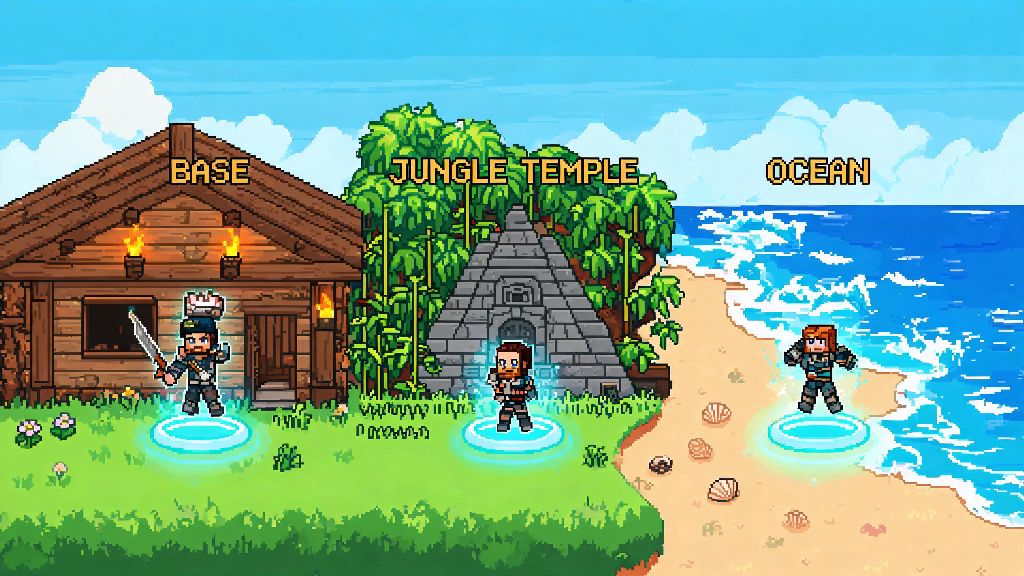
If you’ve spent 2026 grinding for rare crafting materials or chasing down elusive Hardmode bosses across a sprawling Terraria map, you’ve probably wished for a faster way to get from your base to the Jungle Temple or Ocean biome without running for five straight minutes. That’s exactly what teleporters are for, and learning how to use teleporters in Terraria is one of the best quality of life upgrades you can add to any playthrough. I’ve been playing Terraria on and off for over a decade, and I still set up a teleporter network within my first 10 hours of every new world, no matter if I’m playing casual or on Master Mode. It cuts down on travel time by 70% at minimum, and lets you focus on the fun parts of the game instead of sprinting across empty biomes.
What You’ll Need to Build and Activate Teleporters in 2026
Before you can start setting up your teleporter network, you’ll need to gather a few key items. None of these are overly rare, but you will need to have progressed a little bit past the early game to get all of them. The 2026 small balance patch didn’t change the core recipe for teleporters, but it did remove the previous 2,000 block maximum distance between linked teleporters, which makes long-range networks way easier to set up now.
One common mistake new players make here is buying only one teleporter. They won’t work alone, you always need two linked together to move between points. If you want a network with multiple stops, you’ll need one teleporter per stop, plus wiring to connect them all to separate triggers.
Step-by-Step: How to Use Teleporters in Terraria for Basic Travel
Once you have all your materials gathered, setting up a basic two-point teleporter link takes less than five minutes, even if you’ve never worked with wiring before. I recommend starting with a simple link between your main base and the Dungeon first, since that’s a route you’ll run dozens of times while farming for key items.
First, place your first teleporter wherever you want your first stop to be. Most players put their central teleporter right next to their storage chests, so you can drop off loot right after a long mining or boss run. Next, place your second teleporter at your destination, whether that’s the entrance to the Jungle, your Hellstone mining outpost, or the spot where you fight the Moon Lord. Make sure the area directly above both teleporters is completely clear of blocks, otherwise you’ll teleport right into a wall and take damage, or even get stuck entirely. I learned that the hard way on my first Master Mode playthrough, when I teleported into a block of stone above my Hell teleporter and almost died to lava before I could dig myself out.
Take your wrench and run a line of wire between the two teleporters. You don’t have to run the wire in a straight line, it can go around blocks, through walls, even underwater with no issues. The 2026 update removed the distance limit, so you can run wire from one end of your world to the other with no performance hits or connection issues. Once the wire is connected to both teleporters, attach your trigger mechanism to either teleporter, and connect it to the same wire line. If you want to be able to teleport both ways, you’ll need to add a second trigger to the other teleporter too, otherwise you’ll be stuck at your destination with no way back.
Test the link by standing on the teleporter and activating the trigger. If it works, you’ll instantly pop up on the other linked teleporter. If it doesn’t, double check that your wire is connected to both teleporters and your trigger, and that there are no gaps in the wire line. If you want to add a third stop to your network, just add a third teleporter, run a separate wire line to it, and use a different trigger for that line so you can choose where you want to go. If you want more advanced setup ideas, the official Terraria wiki has a full breakdown of complex logic gate teleporter networks that let you switch between 10+ stops with a single control panel.
Creative Teleporter Uses You Can Try in 2026 Playthroughs
Basic travel is the most common use for teleporters, but there are tons of creative ways to use them to make your playthrough easier, more fun, or even to build custom challenges. I’ve tested all of these over my past few 2026 playthroughs, and most of them work in both Classic and Master Mode with no tweaks needed. If you’ve only just figured out how to use teleporters in Terraria, these simple builds are a great way to practice more complex wiring setups without getting overwhelmed.
Teleporter boss arenas are a game changer for difficult fights like the Empress of Light or the Moon Lord. You can set up two teleporters at opposite ends of your arena, wired to pressure plates under your feet, so you can instantly teleport across the arena to avoid boss attacks without wasting time running. I used this setup to beat the daytime Empress of Light on Master Mode for the first time last month, and it cut my attempt count in half. You can even add a third teleporter that leads straight back to your base nurse, so you can warp back to heal if you get low on health mid-fight.
Another great use is linking all of your mob farms to a central control room in your base. You can have separate teleporters leading to your slime farm, corruption/crimson mimic farm, ocean fishing spot, and chlorophyte mining outpost, all with clearly labeled levers so you can jump straight to whatever farm you need without wandering across the map. This is especially helpful if you’re playing with friends on a multiplayer server, since everyone can access the farms without having to memorize coordinates.
You can also use teleporters to create hidden secret bases that no one else can find. Wire a teleporter to a hidden trigger, like a loose painting on your wall or a specific torch you have to hit, and link it to a hidden base deep underground or in the sky. That’s a fun way to hide your most valuable loot if you’re playing on a PvP server, or just to have a quiet spot to build away from your busy main base.
Common Teleporter Mistakes to Avoid in 2026
Even though teleporters are pretty straightforward to use, there are a few common mistakes that new players make all the time that can leave them stuck, dead, or frustrated. I’ve made every single one of these at least once, so I’m sharing them to save you the headache.
The first and most common mistake is not accounting for teleport safety at your destination. Always make sure the area around your destination teleporter is lit up, free of enemies, and has no lava or traps nearby. I once set up a teleporter right next to my Hell mining outpost, but forgot to block off the lava pool two blocks away. The first time I used it, I spawned right next to a Fire Imp that knocked me into the lava, and I lost all of the chlorophyte I’d been carrying for hours. Now I always add a 3-block wide safety platform around every teleporter, with torches and walls to keep enemies from spawning nearby.
Another mistake is using the same wire color for multiple teleporter links. If you run two separate teleporter networks on the same color wire, activating one trigger will activate all linked teleporters at once, which means you’ll never know where you’re going to end up. Use different colored wire for each separate link, or use logic gates to separate them, so you never accidentally teleport to the Dungeon when you meant to go to the ocean.
Finally, don’t forget to protect your teleporters from enemy damage. Explosive enemies like Creepers or Demolitionists can blow up your teleporters if they get too close, which will break your entire network. Add stone brick or obsidian walls around your teleporters to protect them from explosions, especially if you’re placing them in dangerous biomes like the Corruption or the Underworld.
Whether you’re playing a casual Classic Mode playthrough for fun or grinding for 100% completion on Master Mode, learning how to use teleporters in Terraria is one of the most useful skills you can pick up in 2026. It saves you hours of wasted travel time, lets you build more effective boss arenas and farms, and even opens up fun custom build ideas you can’t pull off any other way. Start with a simple two-point link between your base and your most frequent travel spot first, then expand your network as you unlock more biomes and points of interest. You’ll wonder how you ever played the game without them.