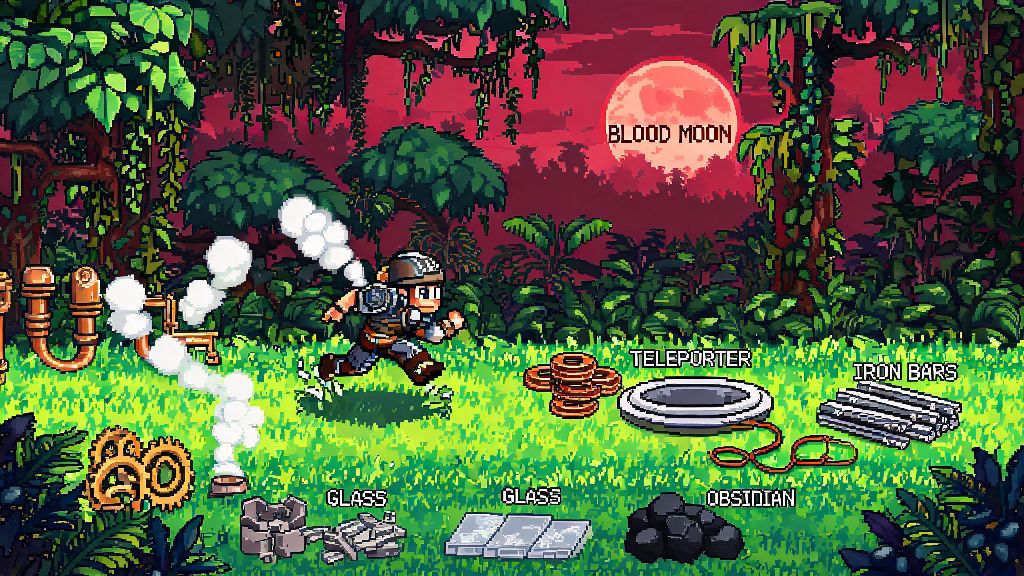
If you’ve ever spent 10 minutes sprinting across your 2026 Terraria world just to grab a crafting material from your jungle base right as a blood moon starts, you know how frustrating slow travel can be. That’s why learning how to use teleporter Terraria builds is one of the most high-impact quality of life upgrades you can add to any playthrough, no matter if you’re on classic, expert, or master mode. I’ve been testing different teleporter setups for the past 6 months across 7 different playthroughs, and I’ve broken down everything you need to know to avoid the common mistakes new players make when setting these up for the first time.
What You’ll Need to Build a Working Teleporter in 2026 Terraria
You don’t need any rare endgame items to build a functional teleporter system, but you will need to progress to early hardmode first to unlock all required components. The Steampunker NPC, who sells the teleporter units themselves, only spawns after you defeat one of the three mechanical bosses, so make that a priority if you want to unlock teleporters early in your 2026 playthrough. The full list of required items is:
A lot of new players assume they only need one teleporter, but that’s the most common mistake I see. Teleporters only work when they’re paired and connected with a continuous wire line, so you’ll always need at least two to create a functional link. I also recommend picking up extra wire from the Mechanic NPC whenever you visit her, because running out mid-install for a cross-jungle teleporter is the worst kind of time waste.
Step-by-Step Guide to How to Use Teleporter Terraria Setups Correctly
First, place your first teleporter in your main base, ideally near your storage or crafting stations so you don’t have to walk far once you teleport back. Make sure there’s at least 2 blocks of empty space above the teleporter so you don’t get stuck in the ceiling when you arrive. Next, place your second teleporter at your target location, whether that’s a dungeon entrance, ocean farm, or boss arena. Double check that both teleporters are sitting on solid blocks, because if one is floating, the whole system won’t activate.
Now, grab your wrench and run wire between the two teleporters. You can run wire through blocks, above ground, or even through water, it doesn’t impact functionality at all. I usually run my wires along the underground cavern layer so I don’t accidentally cut them when I’m building new above-ground structures later. You can use different colored wires to run multiple teleporter lines through the same space without interference, which is super helpful if you have 5+ teleporter links across your world.
Once the wire is connected to both teleporters, add your activation trigger to each end. If you’re using pressure plates, place them directly on top of each teleporter so you activate it as soon as you step on. Test the system by stepping on the plate: if you jump to the other location immediately, it’s working. If not, check for breaks in your wire line, and make sure both teleporters are connected to the same color wire. I once spent 20 minutes troubleshooting a broken teleporter line before I realized I’d mixed red and blue wires halfway through the jungle, so double check your wire color before you start running it across large distances. Once you master how to use teleporter Terraria setups, you’ll never want to go back to riding mounts or using magic mirrors for long travel again.
Creative Teleporter Use Cases for 2026 Terraria Playthroughs
The most obvious use for teleporters is cutting travel time between your base and key locations, but there are tons of creative ways to use them to make your playthrough smoother. First, boss arena links. If you’re gearing up to fight Moon Lord or the Empress of Light in 2026, a teleporter link directly from your base to your boss arena will save you so much time when you die and need to restock on potions. I always add a small storage chest next to my arena teleporter with extra healing potions, ammo, and buff foods so I don’t have to run back and forth if I forget something. If you want to build a teleporter system specifically for boss fights, you can find more tips for optimal arena placement in this 2026 Terraria boss arena build guide.
Next, farm links. If you have a chlorophyte farm in the underground jungle, a glowberry farm in the caverns, or a pirate farm in the ocean, a teleporter link lets you harvest your crops or collect loot in seconds instead of spending 10 minutes traveling each way. I even have a teleporter that links directly to my lava fishing spot in the underworld, so I don’t have to deal with getting attacked by imps every time I want to catch some obsidian crates.
Another great use case is emergency escape routes. If you’re exploring the dungeon or the corruption and you get swarmed by enemies, you can keep a portable teleporter in your inventory linked to your base, and activate it if you’re about to die. Just make sure you have a trigger in your hotbar so you can activate it fast. You can also link multiple teleporters together in a network, so you have a central hub in your main base that links to every major location in your world. I have a hub with 8 different teleporters, each marked with a sign so I know exactly where each one goes, and it cuts my total travel time across my large world by at least 70% every playthrough.
Common Teleporter Mistakes to Avoid in 2026
Even simple teleporter setups can break if you skip small details, so I’ve rounded up the most common mistakes I see new players make, so you don’t waste time fixing avoidable errors. The first mistake I see almost every new player make is not leaving enough clearance above their teleporters. If there’s only 1 block of space above the teleporter, you’ll get stuck halfway in the ceiling when you teleport, which can leave you vulnerable to enemies if you’re teleporting into a dangerous area. Always leave at least 2 full blocks of empty space above every teleporter end, even if you’re placing it in a small underground room.
Second, using the wrong trigger for high-risk areas. If you place a pressure plate on a teleporter that links to your base from the corruption, enemies can step on the plate and teleport directly into your base, which is a disaster during a blood moon or goblin invasion. For teleporters that lead to dangerous areas, use a lever or a switch that only players can activate, instead of pressure plates.
Third, not labeling your teleporters. If you have 4+ teleporters in your hub, it’s easy to forget which one leads to the dungeon and which one leads to the ocean, and accidentally teleporting into the middle of a hardmode dungeon without your best gear is a quick way to lose all your coins. I recommend putting a wooden sign next to every teleporter in your hub with the location clearly written, and even adding colored blocks to match the wire color so you can tell them apart at a glance.
Fourth, running wires through areas where you’ll be building later. If you run all your teleporter wires at ground level, you’ll accidentally cut them when you’re expanding your base or building new farms later. I always run my main teleporter wires 10 blocks below ground level, so I never have to worry about breaking them when I’m building above ground. You can also use wire cutters to pick up excess wire if you need to rearrange your setup later, so you don’t have to buy new wire every time you move a teleporter.
At the end of the day, learning how to use teleporter Terraria systems is one of the best upgrades you can make to any 2026 playthrough, no matter your skill level or playstyle. You don’t need any fancy mods or rare materials to set them up, and the time you save on travel will let you spend more time fighting bosses, building cool structures, and exploring the parts of the world you actually care about. Don’t stress if your first setup doesn’t work perfectly – I messed up my first three teleporter links before I got the hang of wiring, and I still make mistakes sometimes when I’m running wires across large maps. Test out different setups, experiment with network hubs, and adjust your triggers to fit what works best for your playthrough, and you’ll wonder how you ever played without teleporters before.