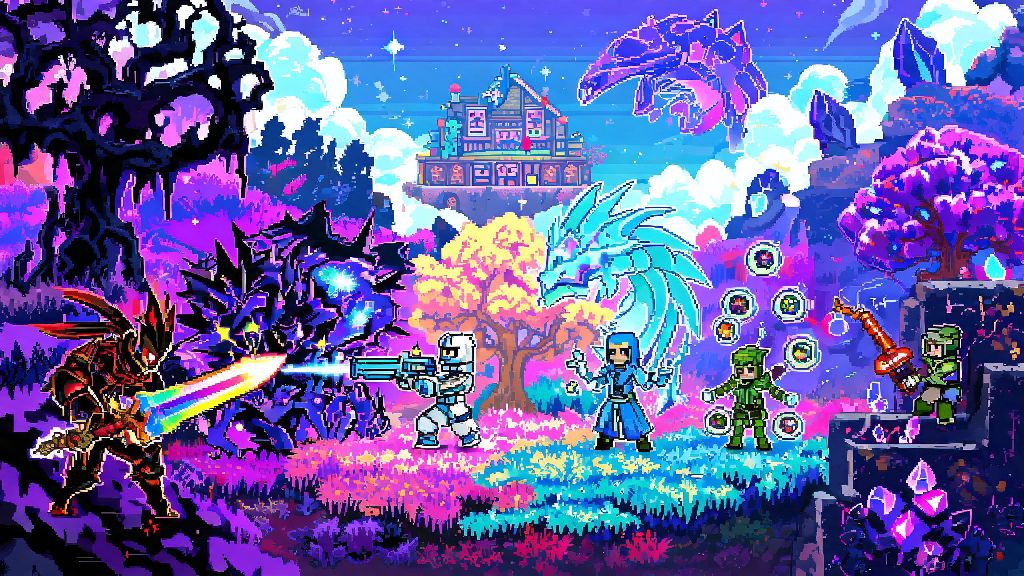
If you’ve sunk hundreds of hours into vanilla Terraria and are craving fresh challenges, items, or world types in 2026, learning how to get mods on Terraria is the best way to breathe new life into the long-running sandbox classic. I’ve been modding Terraria for years, and I’ve tested every popular installation method, so I can walk you through the safest, most reliable process without the risk of malware or corrupted save files. Whether you want to add new boss fights, overhaul the crafting system, or play with 20+ friends on a custom server, mods open up hundreds of hours of extra content you won’t find in the base game.
What You Need to Know Before Modding Terraria in 2026
First, let’s clear up a common misconception: modding Terraria won’t get you banned from online play, as long as you only join modded servers with other players who have the same mods installed. You also don’t need to pay for any mod loader or mod download service, no matter what random pop-ups or sketchy sites tell you. The official tModLoader tool is completely free, supported by Re-Logic, and updated regularly to work with the latest 2026 Terraria patch.
I made the mistake of skipping the save backup step a few years back, and I lost a master mode playthrough where I’d just defeated the Moon Lord for the first time. Trust me, it takes 30 seconds to copy your save files to a separate folder, and it’s worth every second. If you’re planning to play with friends, make sure everyone agrees on the mod list ahead of time too, or you won’t be able to connect to the same server.
How to Get Mods on Terraria Safely in 2026: Step-by-Step for PC
PC players have the easiest time modding Terraria, since tModLoader is fully supported as a free, standalone app on Steam as of 2026. You don’t need to mess with manual file downloads or complicated patching anymore, which was a huge pain point for new modders just a few years ago. The entire process takes less than 10 minutes if you already have Terraria installed. If you’ve been searching for how to get mods on Terraria without risking malware, the official tModLoader browser is the only safe option you need.
First, open Steam and search for tModLoader in the store. It’s 100% free, and it will automatically detect your existing Terraria installation to make sure it’s compatible. Click install, and wait for the 200MB download to finish. Once it’s installed, launch tModLoader once to generate the necessary mod folders on your device, then close it again.
Now you can browse and download mods directly through the in-game mod browser. The browser is curated by the tModLoader team in 2026, so you don’t have to worry about downloading malware or broken mods from random third-party sites. Just click the Mod Browser tab on the main menu, search for the mod you want, and hit download. When you’re done picking mods, go to the Mods tab, toggle the ones you want to use on, and hit reload to apply them.
If you run into issues with the in-game mod browser, you can also download mods directly from the official tModLoader Steam community hub, where modders post regular updates and bug fixes for their creations. One thing to note: some mods require other mods called dependencies to work. The mod browser will automatically download any required dependencies for you, so you don’t have to hunt them down manually. If you get an error when launching a modded playthrough, check the mod’s description page to make sure you have all required dependencies enabled.
Installing Terraria Mods on Consoles and Mobile in 2026
If you play Terraria on Xbox, PlayStation, Switch, or mobile, you’ve probably heard that modding is impossible in the past, but that’s no longer true in 2026. Re-Logic rolled out official mod support for console and mobile versions in early 2026, so you don’t have to jailbreak or root your device to add mods anymore. That said, the mod library for consoles and mobile is smaller than the PC library, since modders have to get their creations approved by Re-Logic before they’re added to the official store.
To install mods on console, open the Terraria main menu, click the new Mod Hub tab, and browse the available mods. You can download them directly to your console, and enable or disable them from the same tab whenever you want. Mods on console are also completely free, and they won’t impact your ability to play vanilla online with friends who don’t use mods.
I tested the console mod support on my Switch last month, and I was surprised how smooth it works. The only downside is that large overhaul mods like Calamity aren’t available yet, since they’re still going through the approval process. If you want access to the full library of Terraria mods, PC is still the best option, but the console mod hub is perfect for casual players who want to add a few quality of life tweaks to their playthroughs.
Avoid any third-party sites that claim to sell or offer Terraria mods for console outside of the official Mod Hub. These sites almost always contain malware, and using them can result in your console account being banned, even if the mods themselves are harmless. It’s just not worth the risk when the official Mod Hub has all the most popular casual mods available for free.
Top 3 Terraria Mods to Try First in 2026
If you’re new to modding Terraria, it can be overwhelming to pick which mods to try first, especially with over 10,000 mods available in the tModLoader browser as of 2026. I’ve tested hundreds of mods over the years, and these three are my go-to recommendations for new players who want to enhance their experience without completely overhauling the base game.
The first mod I recommend for all new players is the Calamity Mod. It’s the most popular Terraria mod of all time, and for good reason. It adds 20+ new bosses, hundreds of new items and weapons, new biomes, and a full post-Moon Lord endgame that adds 50+ hours of extra content. It’s balanced to fit the vanilla Terraria difficulty curve, so it won’t feel out of place if you’re used to the base game. You can play it on its own or combine it with smaller quality of life mods for a custom experience.
Next, try the Recipe Browser Mod. If you hate scrolling through hundreds of crafting recipes to find the one you need, this mod is a total game-changer. It adds a searchable menu that lets you look up any crafting recipe in the game, including modded ones, and tells you exactly what materials you need and where to find them. I use this mod in every single playthrough, and I can’t imagine going back to vanilla without it.
Third, grab the Quality of Life Mod Pack. This pre-built mod pack combines 15+ small quality of life tweaks into one easy download, including features like auto-save, expanded inventory space, faster mining speed, and a map that shows all nearby enemies and resources. It doesn’t change any core gameplay, so it’s perfect if you want to keep the vanilla Terraria feel but cut out some of the more tedious parts of the game.
At the end of the day, learning how to get mods on Terraria in 2026 is a simple process that opens up a ton of new content for both new and veteran players. You don’t need any technical skills to get started, and all the official tools are completely free to use. Start small with a few quality of life mods first, then work your way up to larger overhauls once you’re comfortable with the installation process. Before you know it, you’ll be playing a version of Terraria that feels completely new, without losing any of the charm that made the original game so popular.