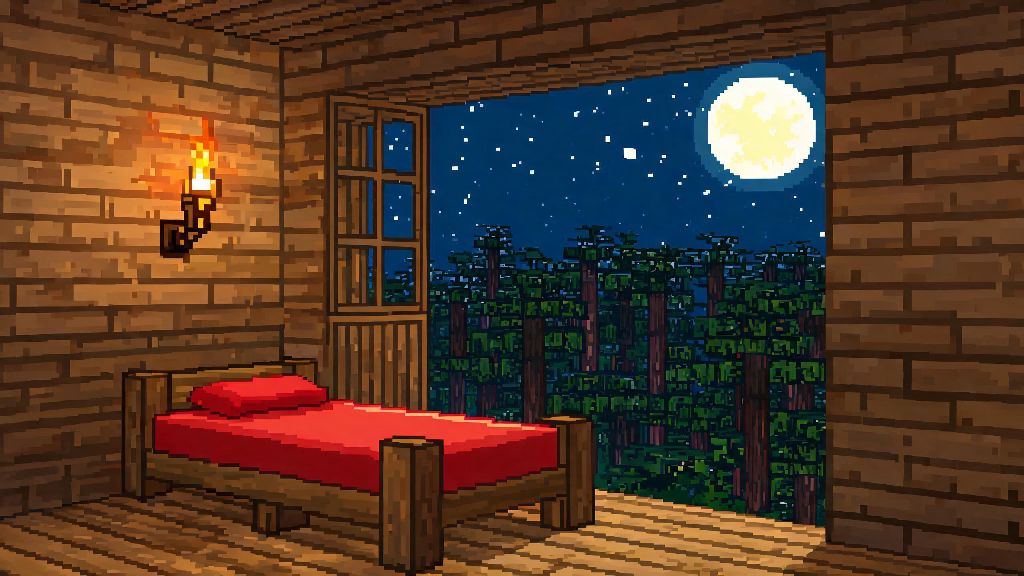
If you’re jumping into a fresh 2026 Terraria playthrough, whether it’s your first run or your 100th, one of the first critical builds you’ll tackle is setting up a functional base. Most new players skip over small, seemingly unimportant builds early on to focus on mining ore and fighting slimes, but skipping this one will cost you hours of wasted travel time. Learning how to build a bed in Terraria doesn’t just give you a place to skip long, dangerous nights – it also sets your personal spawn point, so you don’t have to run all the way back from the world’s original spawn every time you die to a surprise cave skeleton. It takes less than 10 minutes to gather materials and craft one, even for brand new players with no advanced tools.
What You Need Before You Build a Bed in Terraria (2026 Vanilla Requirements)
First, let’s cover the base materials you’ll need for a standard wood bed, which works for all early-game playthroughs of vanilla Terraria 2026. You don’t need any rare drops or hardmode materials to make your first bed, so you can craft it within your first hour of playing if you prioritize the right resources. You can’t build a bed without a work bench as your base crafting station, so make sure you’ve already crafted one of those first with 10 pieces of any wood type.
The specific materials for the bed itself are 10 pieces of any wood and 5 pieces of silk. Wood is easy to come by – just chop down any tree on the surface with your starting copper axe, and you’ll have more than enough in a couple of minutes. Silk is a little trickier for new players: you’ll need 35 cobwebs total, since each piece of silk requires 7 cobwebs to craft at a loom. Looms are easy to make too, with just 12 pieces of wood crafted at a sawmill, which you can make with 10 wood, 2 iron or lead bars, and one chain at your work bench. If you don’t have iron or lead yet, you can find it easily in shallow caves just below the surface.
Step-by-Step Process to Craft and Place Your Bed
Once you have all your materials gathered, the crafting process is straightforward, even for total beginners. First, head to the nearest cave system and hunt for cobwebs – they’re usually strung across cave ceilings and corners, and you can collect them with any tool, including your starting pickaxe. Watch out for cave spiders that spawn near large cobweb clusters, though, as they can take out new players with low health in just a couple of hits. Once you have 35 cobwebs, head back to your base, craft your loom, then turn the cobwebs into 5 silk pieces.
Take your 10 wood and 5 silk to your work bench, and you’ll see the bed option pop up in your crafting menu. Click to craft it, then pick a spot in your base to place it. There are a few hard rules you have to follow for your bed to work as a spawn point, not just decor. Your bed won't work as a spawn point if the room isn't marked as suitable for NPC housing, so you’ll need to make sure the space meets all the standard housing requirements first.
Once you place the bed in a valid room, you can right-click on it to set your spawn point. You’ll get a pop-up message in the bottom left of your screen confirming that your spawn point has been set, so you’ll know it worked. If you don’t get that message, double check that your room meets all the requirements listed above, and make sure there are no corrupted or crimson blocks within 50 tiles of the room. The official Terraria fandom wiki has a full breakdown of modded bed variants if you want to explore custom options that add extra perks for your playthrough.
Common Mistakes to Avoid When Setting Up Your First Bed
Even though building a bed is one of the simplest early-game tasks, I’ve seen hundreds of new 2026 players run into issues that leave them confused about why their spawn point isn’t working. The most common mistake is forgetting to add full background walls to your room. Many new players build a wooden box with a door and call it done, but open backgrounds mean the room isn’t considered valid for either NPCs or bed spawn points. Even a single gap in your background walls can invalidate your bed's spawn functionality, so take a minute to double check every tile behind your bed.
Another common mistake is placing your bed too close to evil biomes. If your base is within 50 tiles of corruption, crimson, or hallow blocks in hardmode, the game will mark the room as unsafe, and your bed won’t work. You can fix this by either moving your bed further away, or replacing the evil blocks with neutral blocks like wood or stone. You also can’t sleep in your bed during special in-game events, including blood moons, solar eclipses, or active boss fights. Don’t panic if your bed won’t let you sleep during these times – it’s not broken, that’s just intended game behavior.
If you’re playing multiplayer, keep in mind that most 2026 public servers require at least 50% of active players to be in bed to skip the night, instead of just one. If you’re playing with friends, make sure everyone agrees to skip the night before you lay down, or you’ll just be stuck waiting for other players to join you. You also can’t share a spawn point with other players – each player has to right-click the bed individually to set their own spawn.
Fun Custom Bed Ideas for 2026 Terraria Builds
Once you’ve got your basic functional bed set up, you can start experimenting with custom designs to match your base’s aesthetic. Vanilla Terraria 2026 has over 30 different bed variants, each crafted with different wood types or special materials, so you don’t have to stick with the plain brown wood bed for your entire playthrough. Custom themed beds are an easy way to add personality to your base without spending lots of rare resources, since most variants just require swapping out regular wood for another type like palm, boreal, or ebonwood.
For mid-game players, you can craft beds out of dungeon bricks, honey blocks, or even obsidian for a darker, more rugged look. Late-game players can craft glowing crystal beds, hallowed beds with gold accents, or even Luminite beds that glow in the dark and match end-game base builds. Some 2026 mod packs also add functional custom beds that give you small buffs when you wake up, like 10% extra mining speed or 5% extra defense for 15 minutes after you sleep, which can give you a small edge during tough boss fights.
If you like sharing your builds with the community, custom beds are a great small detail that makes your base stand out in screenshots. If you're playing on the 2026 Terraria cross-play servers, custom bed skins are shared across all platforms, so your friends will see your unique designs too. You can even find custom bed design tutorials on TikTok and YouTube that show you how to build hidden beds, bunk beds, and bed designs that look like they’re part of your furniture setup, no mods required.
At the end of the day, learning how to build a bed in Terraria is one of the most basic but impactful skills you can pick up as a new player. It cuts down on travel time after deaths, lets you skip dangerous nights full of demon eyes and zombies, and gives you a chance to add a personal touch to your first base. Don’t stress if your first bed doesn’t work right away – most players mess up the room requirements once or twice before they get the hang of it. Once you have your first spawn point set, you’ll wonder how you ever played without it.